All tutorials
8 steps
Create your first product visual
Learn how to generate a professional e-commerce visual in just a few minutes. From importing your product photo to downloading the final result.
1/8
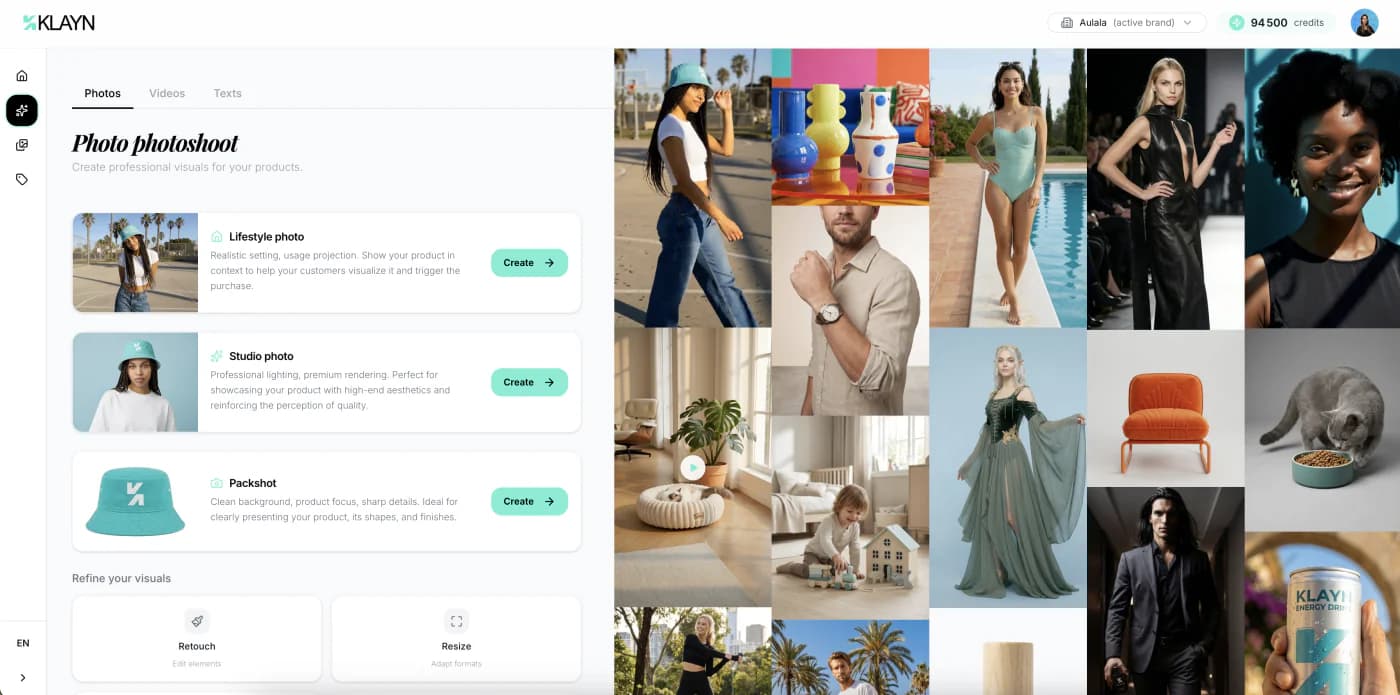
Go to the creation Studio
From your dashboard, click the "Creation Studio" tile or select "Studio" in the side menu. You'll land on the generation interface where you can choose the type of visual to create.
Ready to get hands-on?
Create your account and put what you've just learned into practice.
Create an account